
Applies to: All Satel radio modems with TD/RD LED indicators
What Normal Operation Looks Like
Depending on how your radio is configured in the system, here’s what you should see:
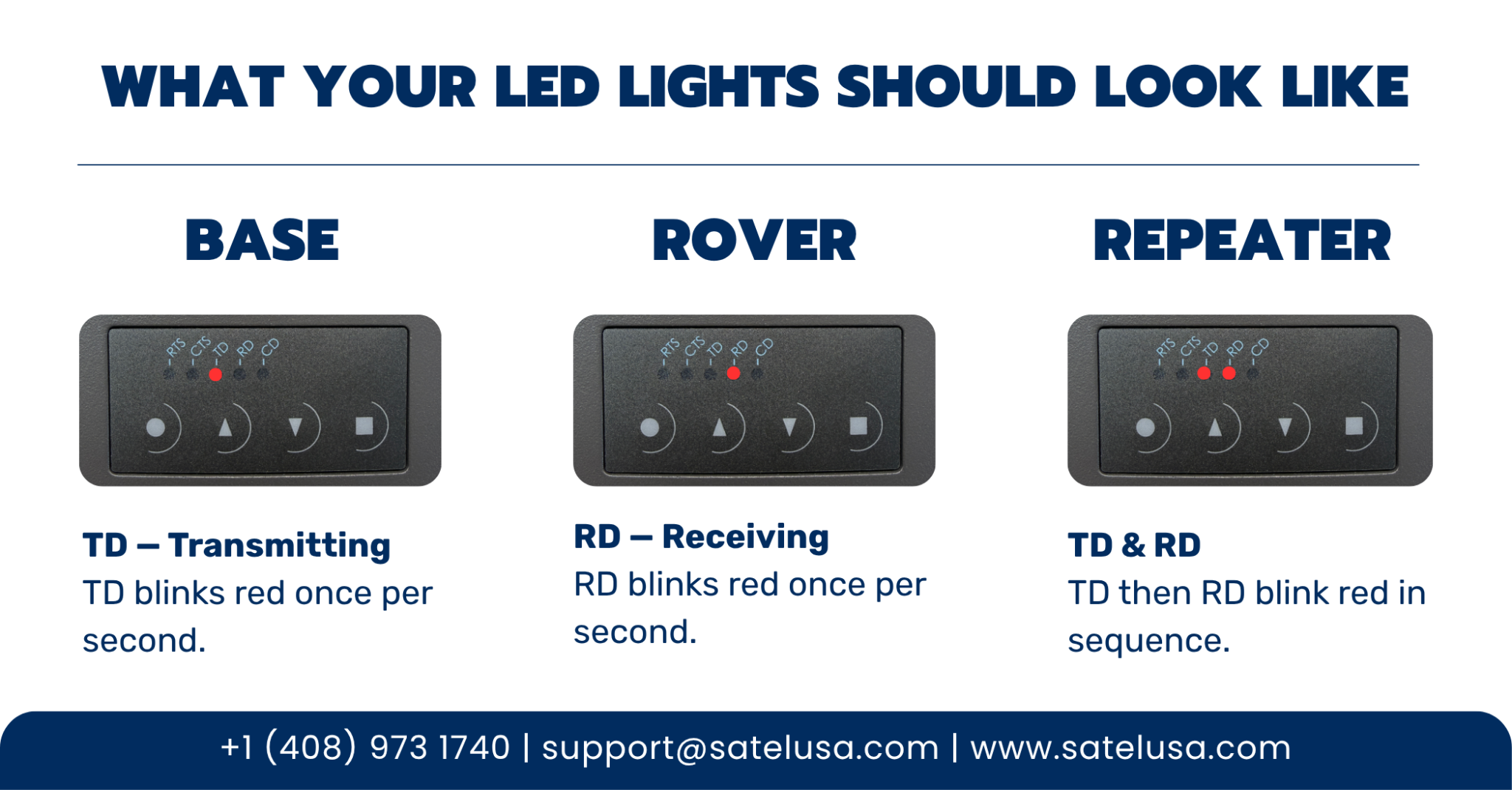
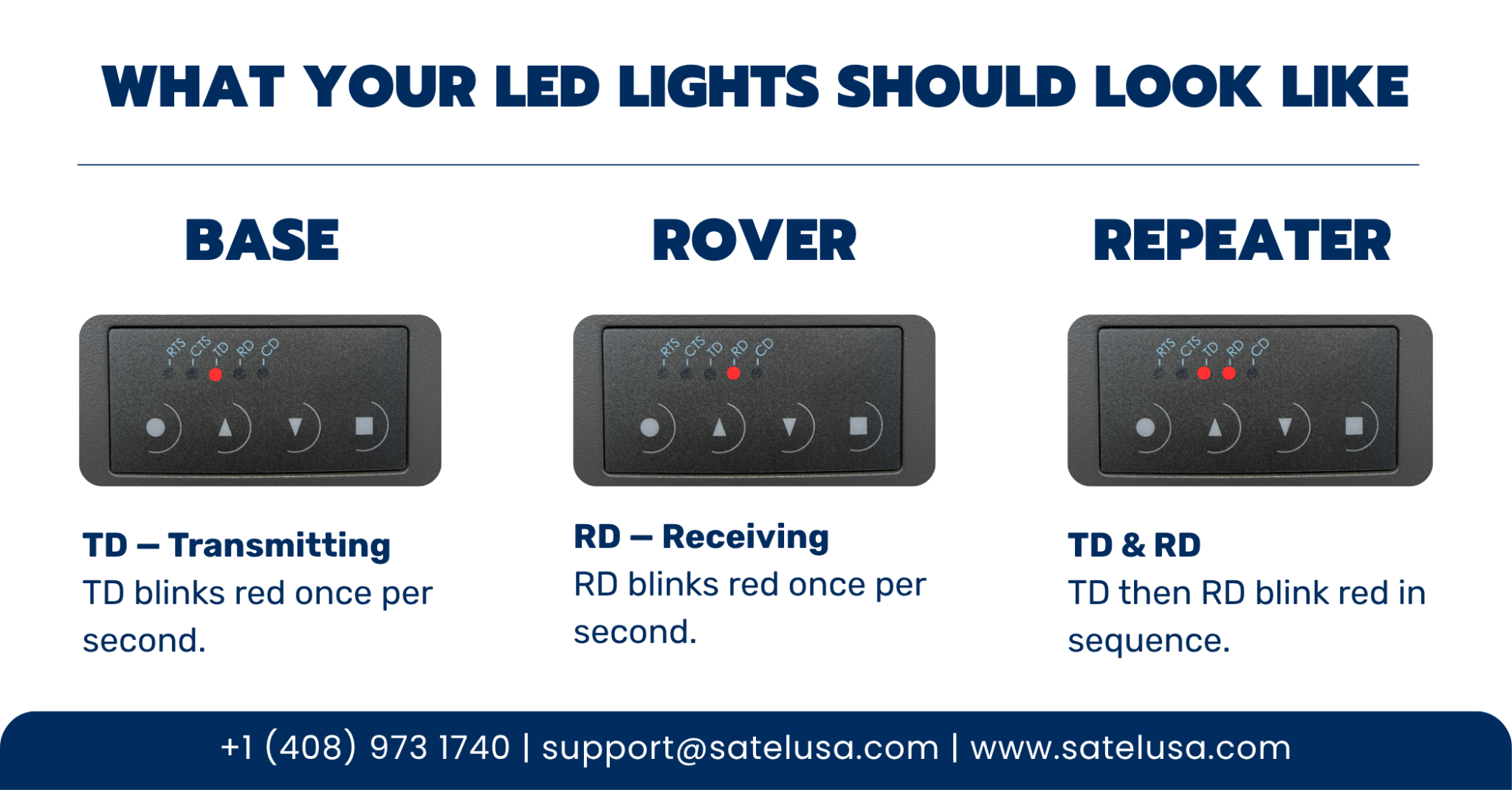
| Role | Expected LED Behavior |
|---|---|
| Base | TD blinks red once per second |
| Rover | RD blinks red once per second |
| Repeater | TD and RD both blink red in sequence, once per second |
If your lights match the above for your radio’s role, your system is operating normally.
The Only Two Lights That Matter for RTK
Your Satel radio has five LED indicators on the front panel, but for RTK operation, only two of them tell you anything useful:
TD: blinks red, your radio is transmitting
RD: blinks red, your radio is receiving
Everything else is not relevant to RTK diagnostics.
What Abnormal Operation Looks Like
No TD on Base
The base is not sending corrections out through the correct port. Check that your serial port output is configured correctly.
No RD on Rover
This points to one of two things:
- Configuration issue — the rover is not programmed correctly and will never receive data until settings are fixed
- Range issue — the radio is configured correctly but is too far from the base or repeater to maintain a reliable link
What About the Other Lights?
TD light is green (Base)
This means Test Tx mode is active. This is not normal operation. Disable test mode before deploying the radio in the field.
CD light
The CD light reflects radio interface activity, it can blink red (transmitter on), orange (noise), or green (reception). However, it is not a reliable diagnostic tool. The orange and red colors are difficult to distinguish, and the light can show reception even when no usable data is coming through the serial port. For troubleshooting purposes, ignore the CD light and focus on TD and RD.
RTS and CTS lights
These indicate serial line status but are not used in RTK applications. They may blink, but they don’t tell you anything meaningful about your radio’s performance.
Seeing Unexpected Behavior?
If your lights don’t match what’s described above, start here:
- Confirm the radio’s role (Base, Rover, or Repeater) and check the expected LED behavior in the table above
- Verify that TD is blinking on the base; if not, check serial port output settings
- Verify that RD is blinking on the rover; if not, check configuration settings and radio range
- If you’re running a repeater, confirm that both TD and RD are blinking in sequence
If you’re still not getting the expected behavior after checking the above, contact Satel USA support for assistance.